

BlackEdge · Secure remote console access
Reach the console remotely. Keep the port physically secured.
BlackEdge provides authenticated remote access over Ethernet and a physical barrier that protects critical RS232 console ports against malicious access, unauthorized commands, and physical tampering.
Physical Port Security
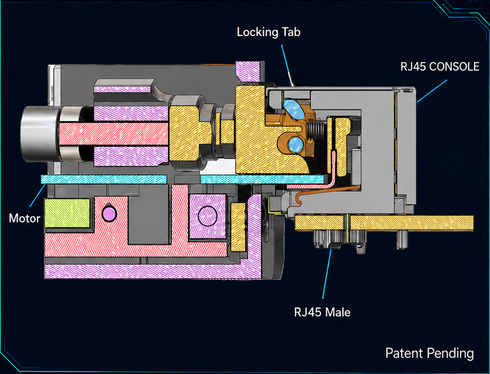
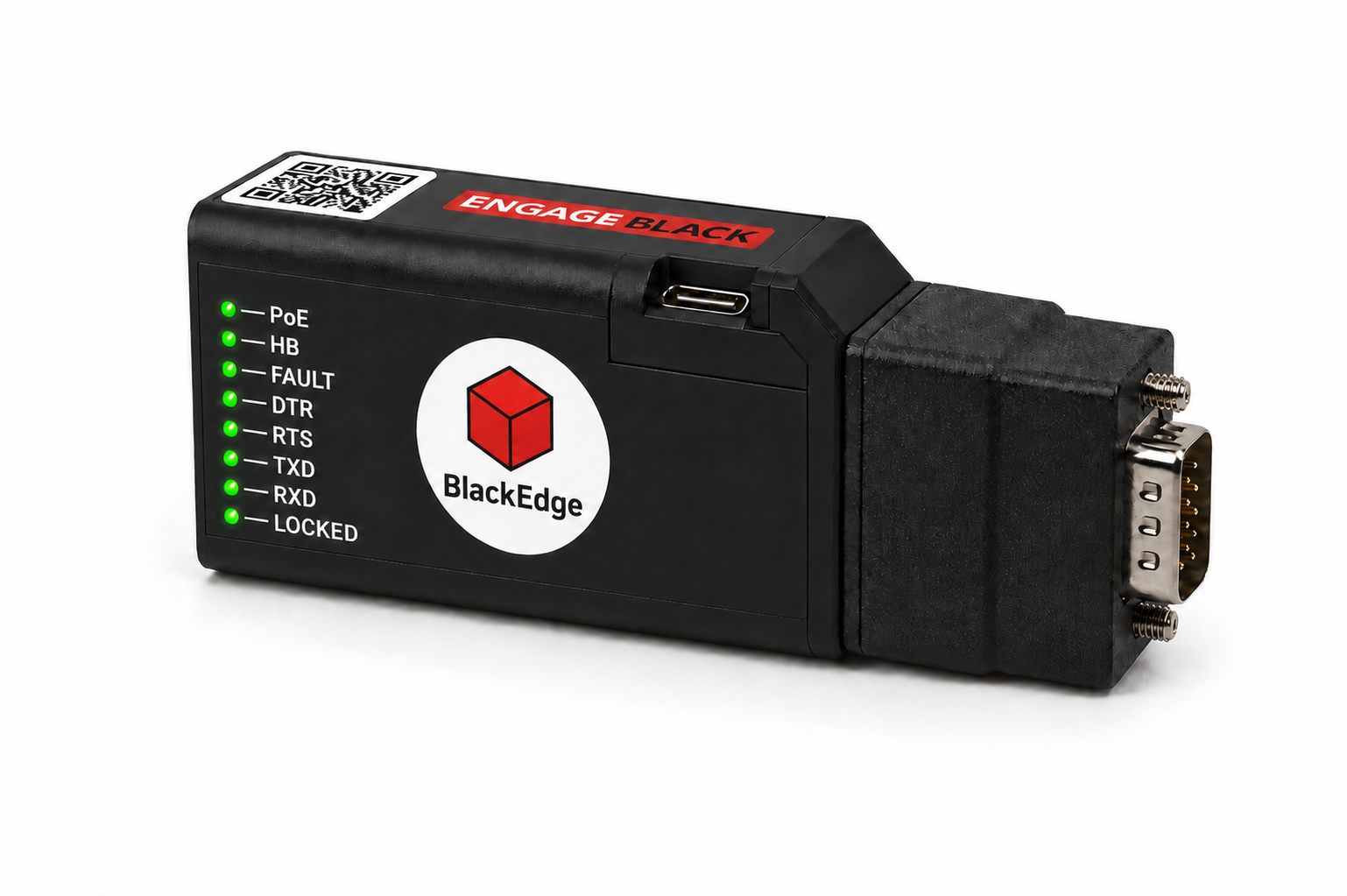
BlackEdge’s RJ45 locking mechanism secures the serial-console connection to prevent unauthorized physical access.
Authentication, Authorization, and Accounting (AAA)
Verifies who is connecting, controls what they can access, and records activity for accountability.
Department of Defense
Protect serial-console access across defense communications and field-deployed infrastructure.
Common environments: Tactical routers · SATCOM · Command posts · Mobile systems · Radio Base Stations
Operational Technology
Secure serial-console paths across SCADA and other critical operational systems.
Common industries: Power and water utilities · Manufacturing · Transportation · Oil, gas and mining
The vulnerability
An exposed console port leaves a privileged access path.
Legacy serial consoles can provide direct access to equipment management. Physical protection and individual access controls help close that gap.
Physical exposure
Without physical port protection, unauthorized cable access can expose or interrupt an active console session.
Persistent login sessions
Sessions may remain open when automatic timeouts are not configured or supported.
Unencrypted serial traffic
The underlying RS232 connection carries console data in plaintext.
Weak authentication
Basic, static, or shared passwords can weaken individual identity verification.
Limited attribution
Without individual access records, configuration changes can be difficult to trace.
The insecure console cable
A hidden cable tap can turn local access into a remote attack path.
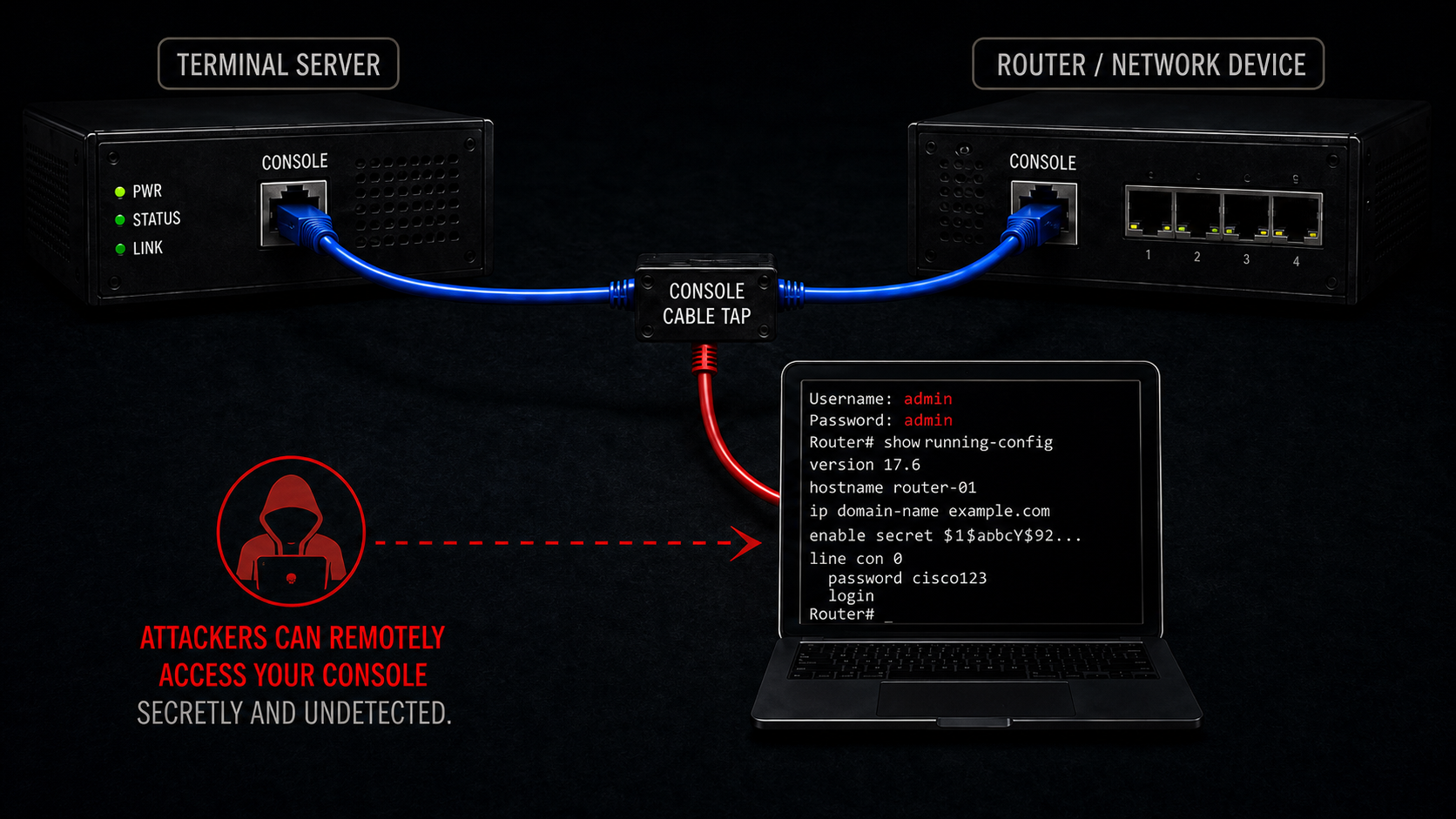
A secure perimeter does not authenticate the person using the console port. A concealed inline cable tap can expose privileged console access without being immediately visible to the technician.
Remote connectivity
From remote operator to protected console
Remote console access over Ethernet
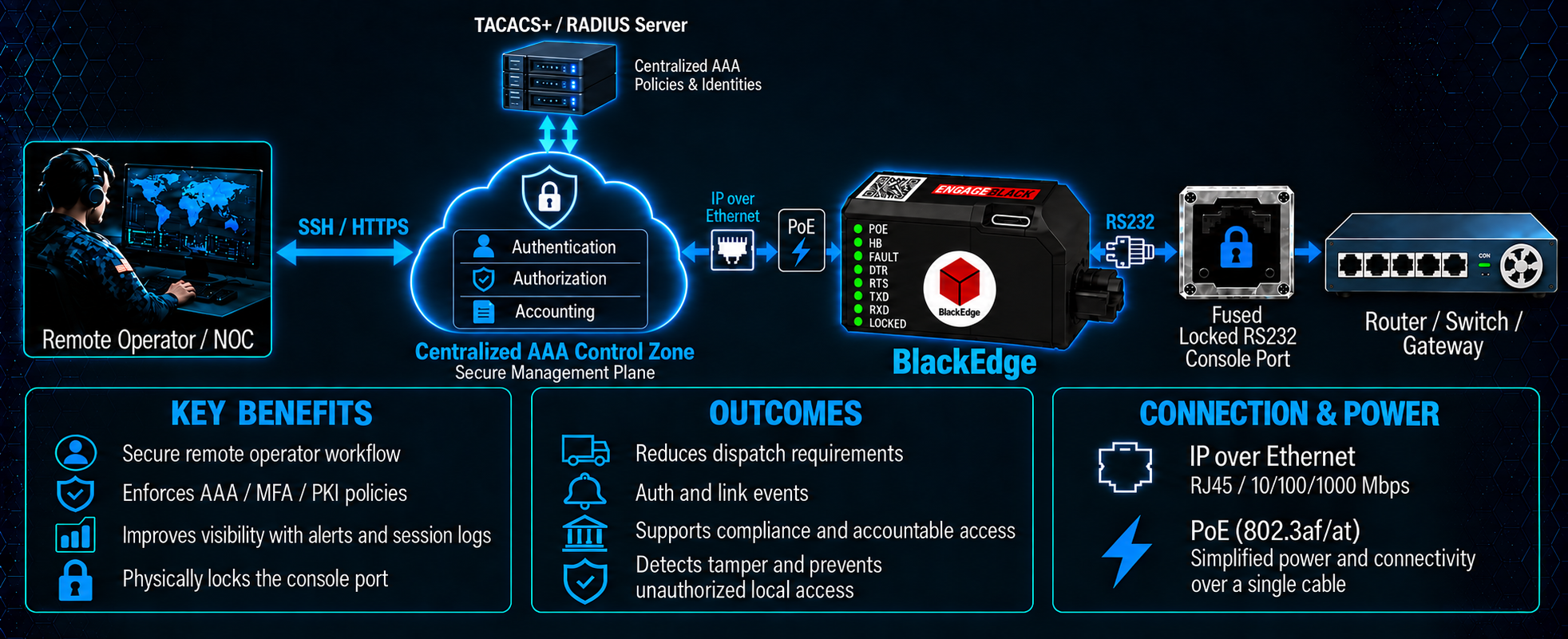
Connect BlackEdge to the equipment’s serial console port and your management network. Authorized operators then use an SSH terminal client to access the console remotely through BlackEdge.
Flexible power options
Power BlackEdge through USB-C or a 24 V DC supply, depending on configuration, or use Power over Ethernet (PoE). PoE combines power and network connectivity in one cable; USB-C and 24 V DC use a separate Ethernet connection.
Browser-based administration
Open BlackEdge’s HTTPS web interface to review device status, configure access settings, and control authorized locking and unlocking.
Integration with your existing systems
Use TACACS+ / RADIUS for centralized authentication and SNMP to bring BlackEdge status and security events into your monitoring system.
Architecture
Secure remote console access
BlackEdge connects the remote operator to the protected serial console. The diagram shows the access path, key benefits, and connection requirements.
Control layer 1 · Physical enforcement
Fused authenticated console access.
Active physical barrier
Strict access control
Intelligent tamper response
Secures RJ45 connectors with a tamper-reactive electronic lock that uses cryptographic multi-factor authentication to restrict access.
Control layer 2 · Identity and authorization
Verify identity. Apply roles. Establish accountability.
BlackEdge applies Authentication, Authorization, and Accounting to remote console access, with local/on-device authentication or integration with centralized AAA services.
Authentication
Verify who is requesting access before a console session begins.
Authorization
Control the administrative actions and console commands available to each user.
Accounting
Record access and command activity so events can be traced to an authenticated operator.
Authentication
Operators authenticate before reaching the protected console. The selected credential method and validation authority determine the login workflow.
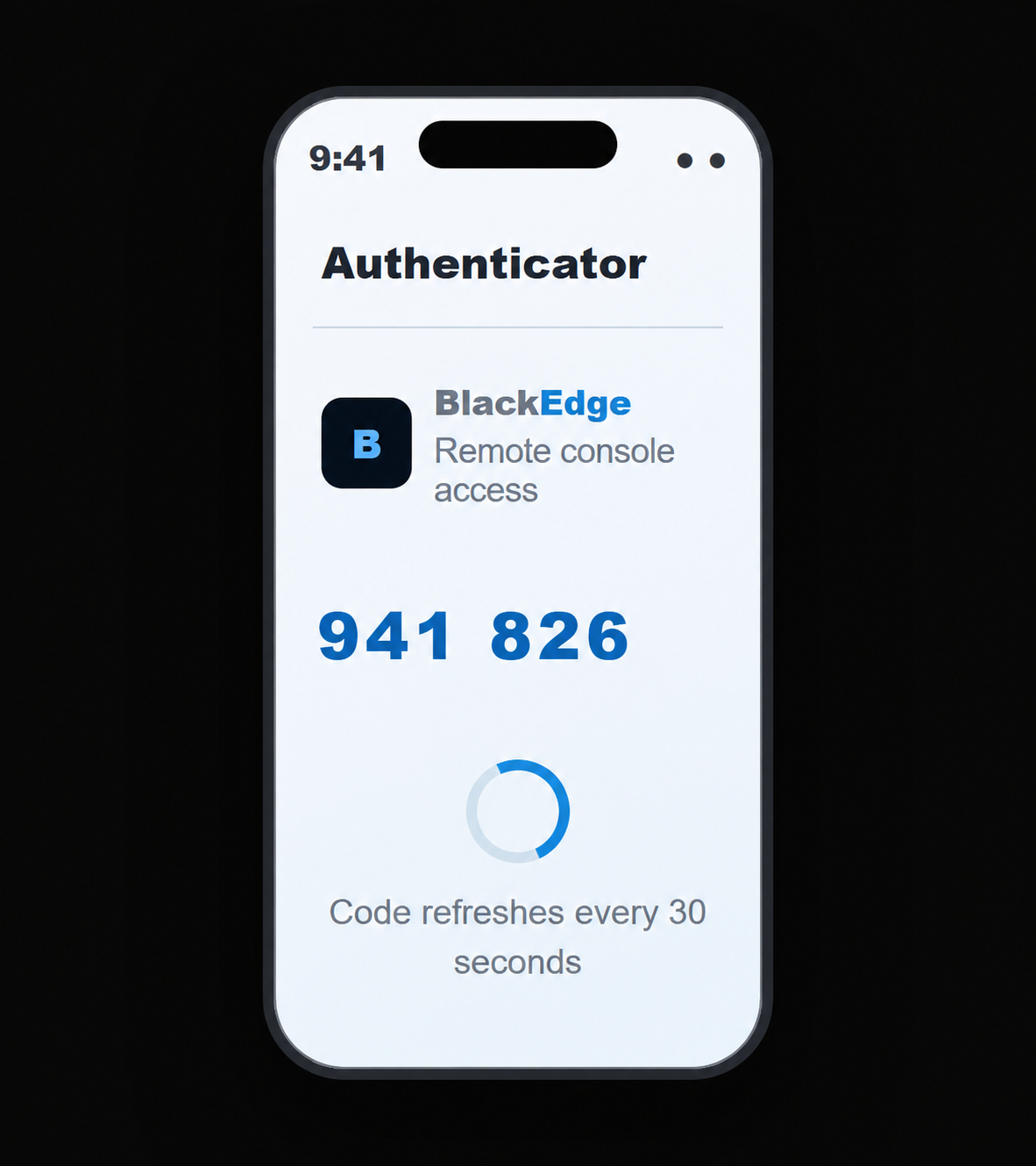
TOTP authentication
One-time code from an authenticator app
The operator enters a time-based code from an enrolled authenticator app as part of the configured MFA workflow.
Use an enrolled app such as Microsoft Authenticator or Google Authenticator.
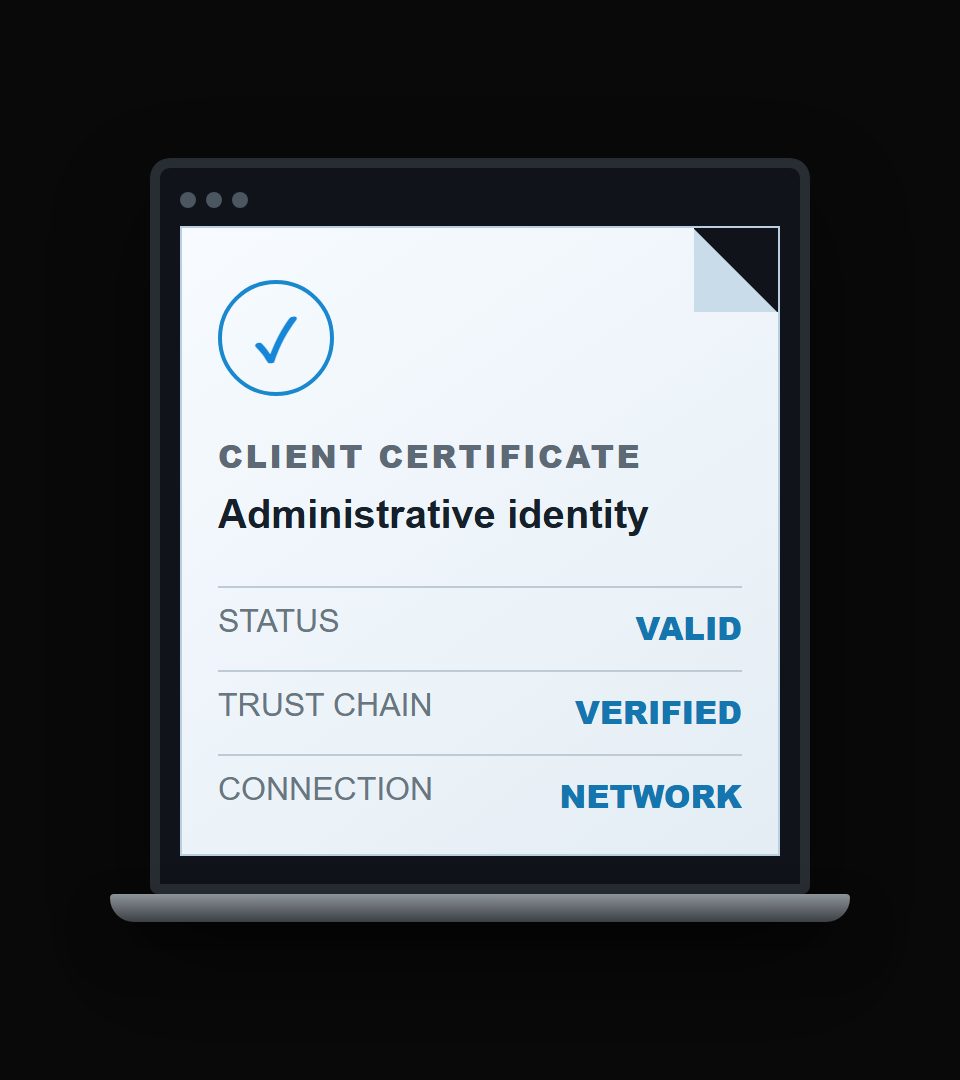
Certificate authentication
Certificate-backed operator identity
The operator presents a trusted client certificate during secure connection establishment. The configured trust policy governs certificate validation.
Provision the appropriate certificates and trust chain for the deployment.
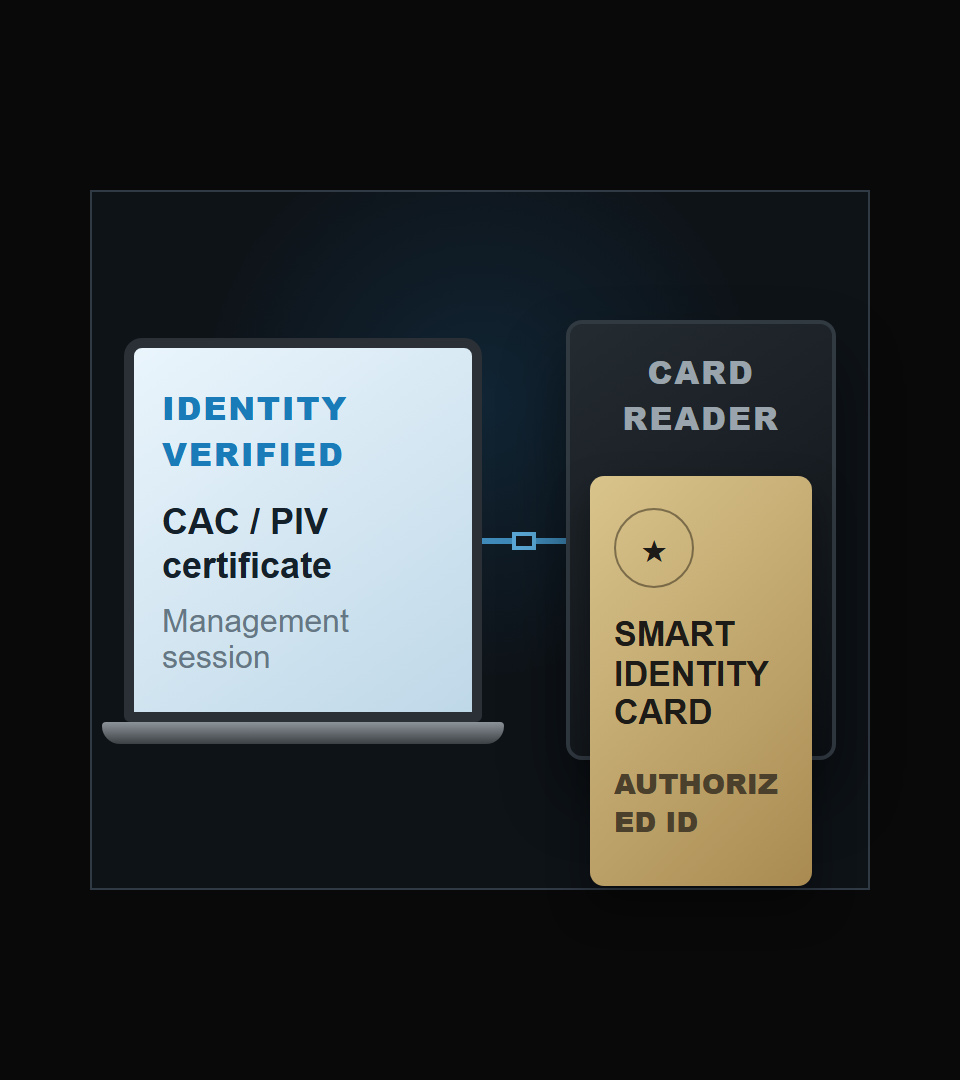
CAC / PIV authentication
Smart-card certificate workflow
A card reader and approved middleware on the operator workstation provide the smart-card certificate workflow for the configured PKI deployment.
The reader and middleware remain on the operator workstation.
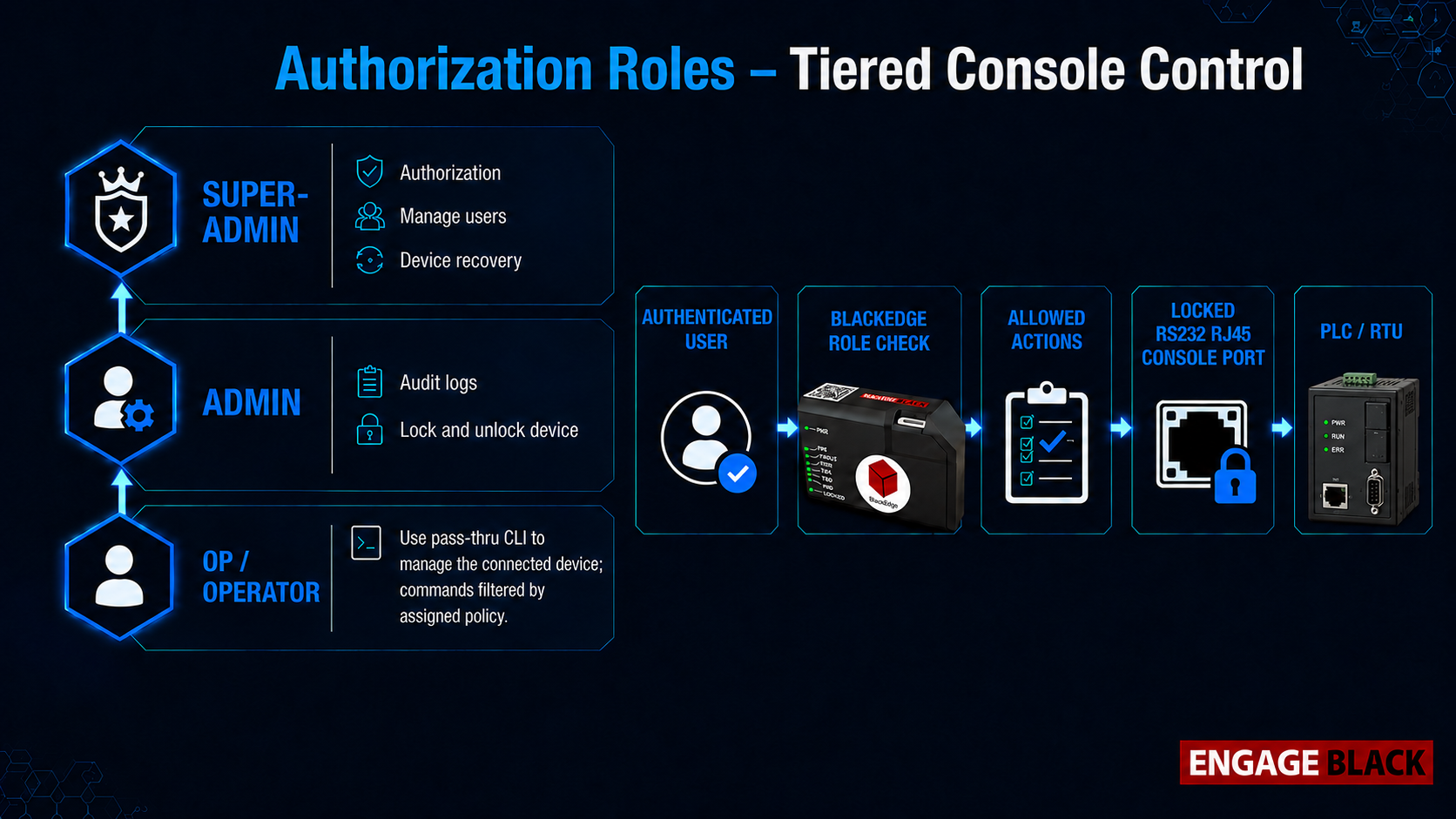
Authorization · Roles
Tiered roles define permitted control.
Each authenticated user is assigned a defined role that determines the available administrative and console permissions.
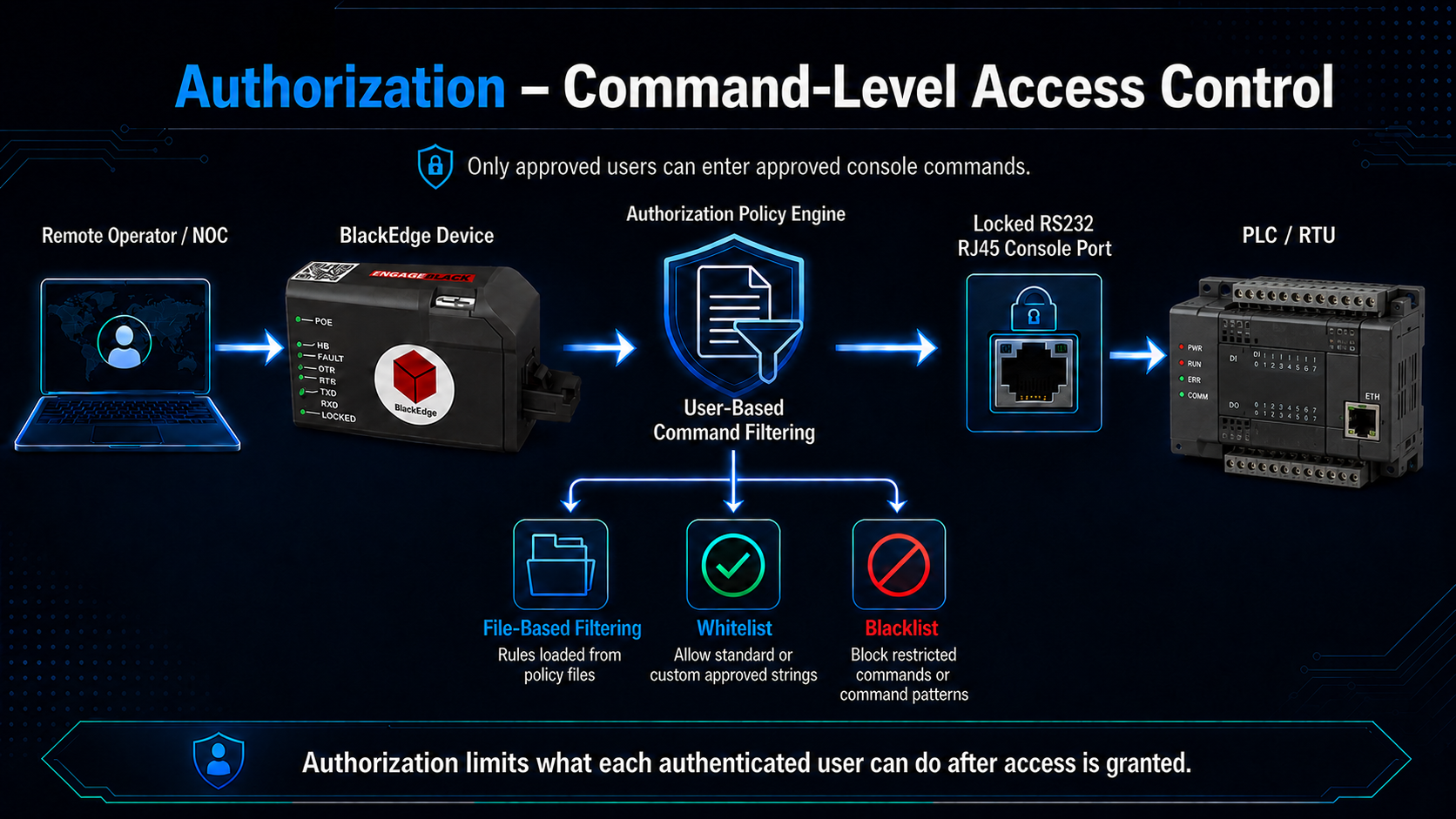
Policy-based operator control
Least privilege, enforced at the command level.
Apply command filters to the authenticated operator so access matches the assigned task.
File-based policies
Load command rules from a policy file.
Allowed commands
Define standard or custom command strings that an operator may enter.
Blocked commands
Restrict commands that fall outside the assigned policy.
Accounting · Session visibility
Trace console activity to the authenticated operator.
BlackEdge records access and session activity, command audit information, and security events. These records support investigation and operational accountability.
Session history
Review who connected, when, and from where.
Command audit trail
Review commands entered and their allowed or blocked outcomes.
Security events
Track authentication, access, and tamper events alongside console activity.
Tamper response
Physical interference blocks console access and raises an alert.
When physical tampering is detected, BlackEdge restricts console access and reports the event through notification and logging. SNMP traps give remote operations teams visibility into the condition.
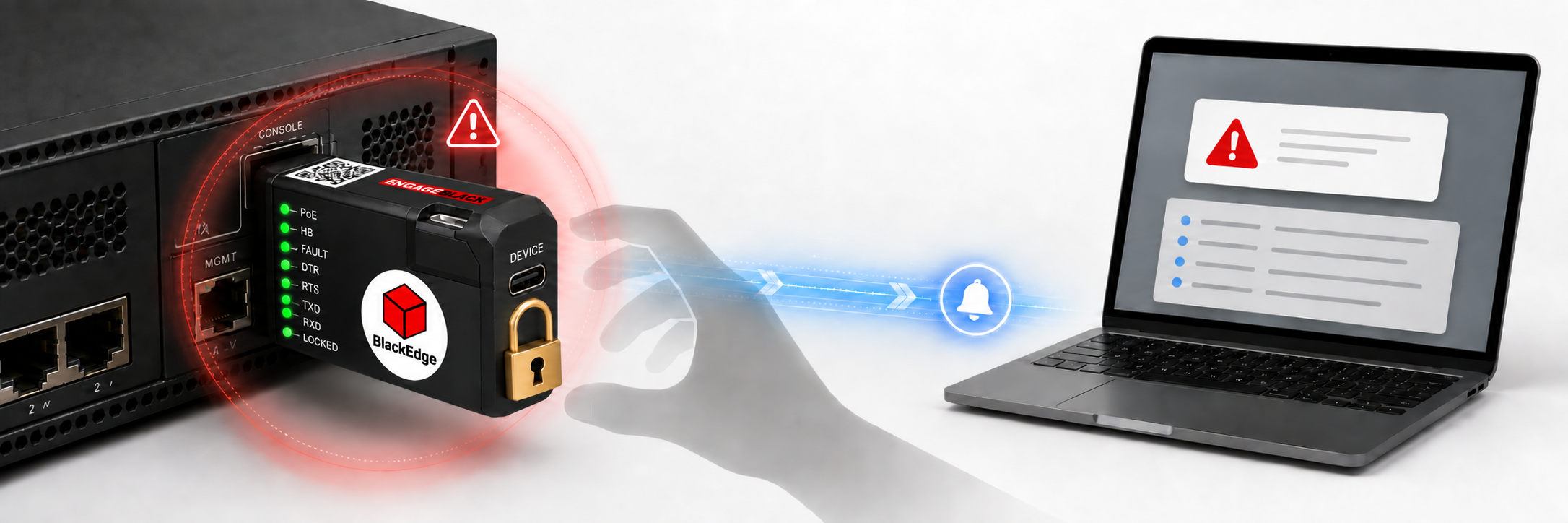
Detect
Identify attempted removal or interference with the protected connection.
Restrict
Block console access while the tamper condition is active.
Record
Create a record of the tamper event for investigation.
Notify
Send an SNMP trap to the configured monitoring system.
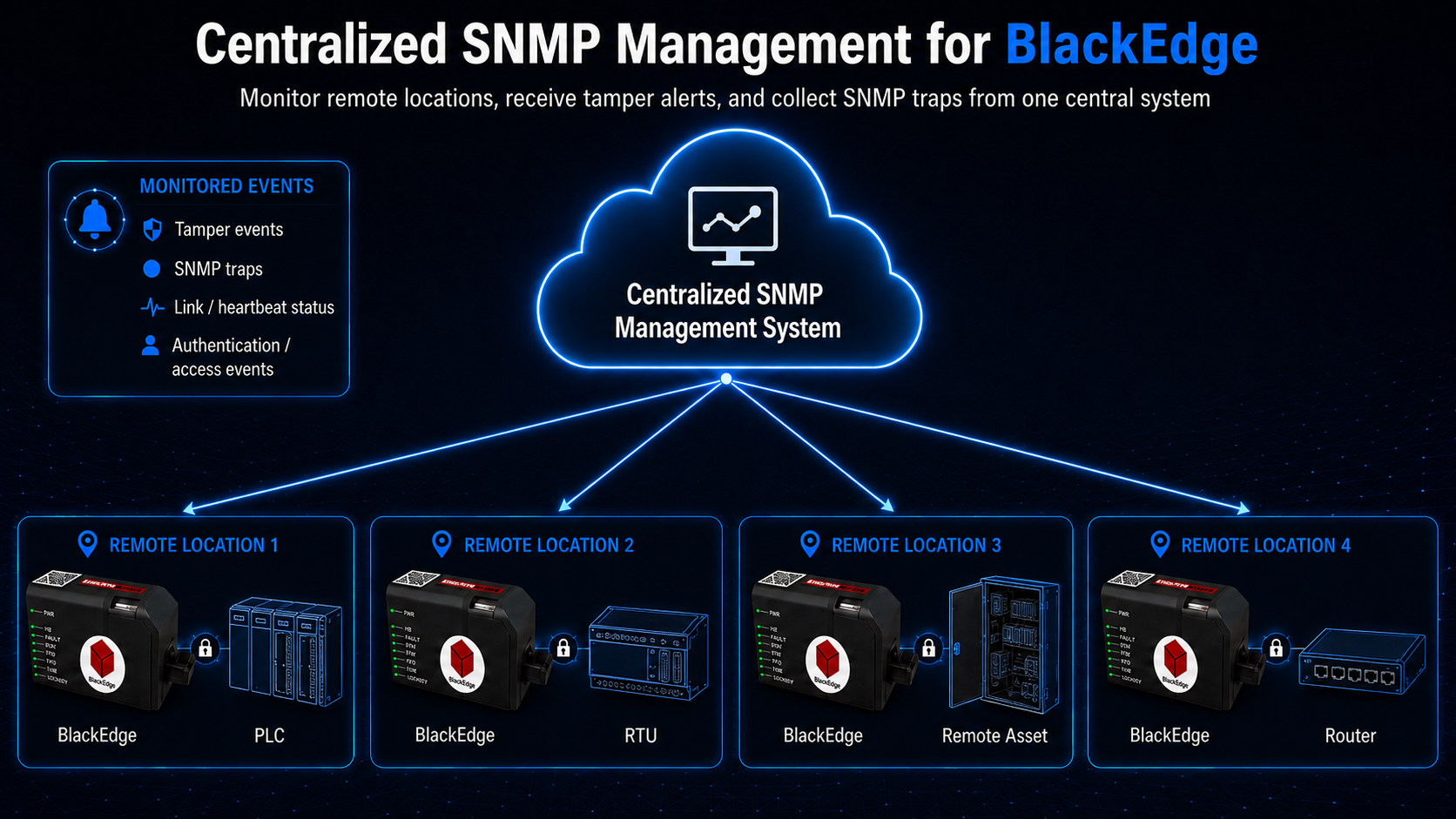
Centralized SNMP monitoring
Bring console-port events into the operations center.
Monitor remote BlackEdge devices from a central SNMP management system. Receive traps for tamper and security events and review device status across distributed locations.
Cryptographic security
Hardware-rooted protection for keys and secure sessions.
BlackEdge incorporates a Trusted Platform Module (TPM) to support hardware-based key protection and cryptographic operations.
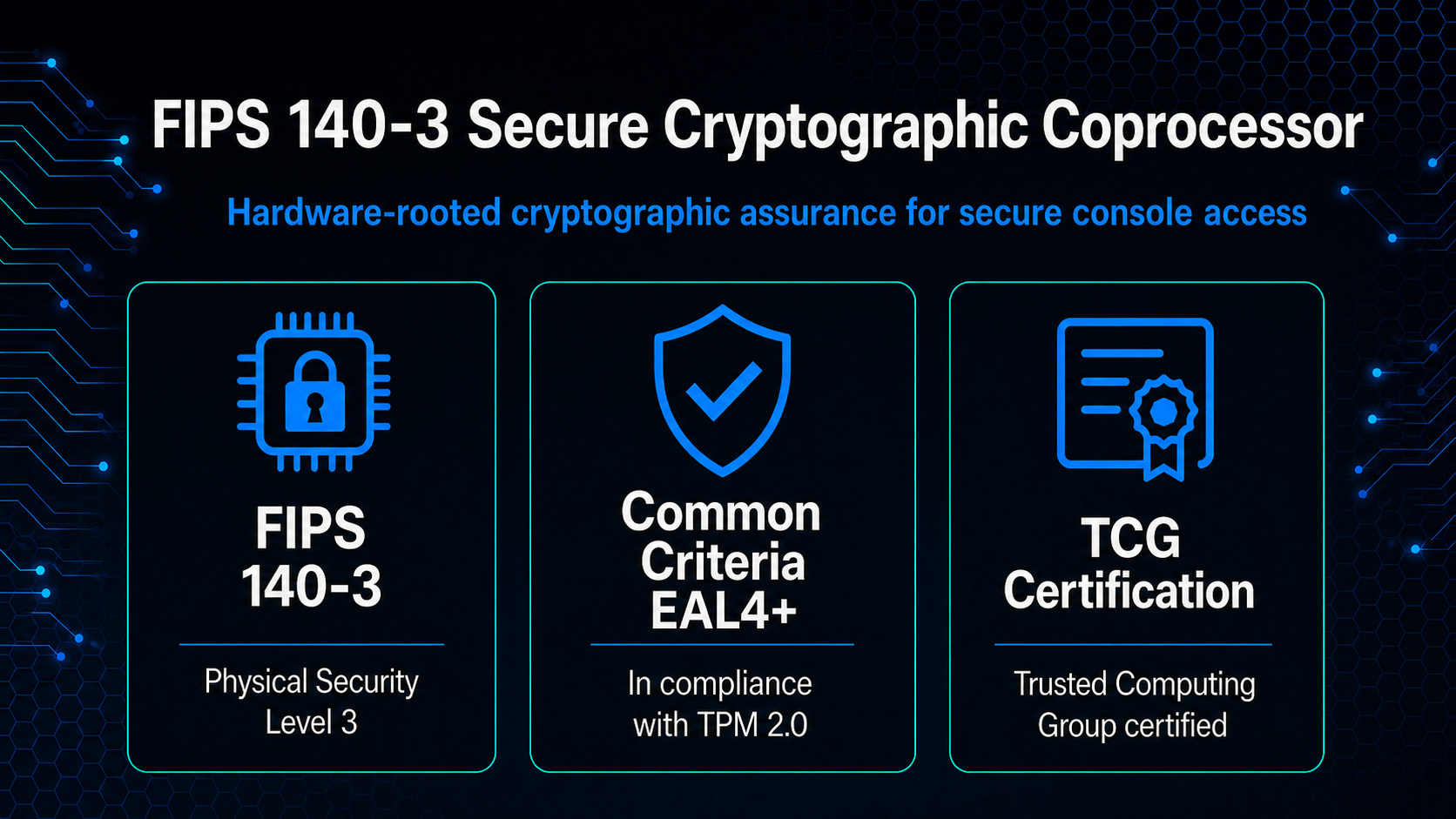
Cryptographic assurance
Built on a FIPS 140-3 validated module.
BlackEdge incorporates the a cryptographic module, validated to FIPS 140-3 Overall Level 2 under CMVP Certificate #5109, with Physical Security Level 3.
The validation applies to the module when installed, configured, and operated in its approved mode as specified in its Security Policy. It does not represent validation of the complete Edge product.
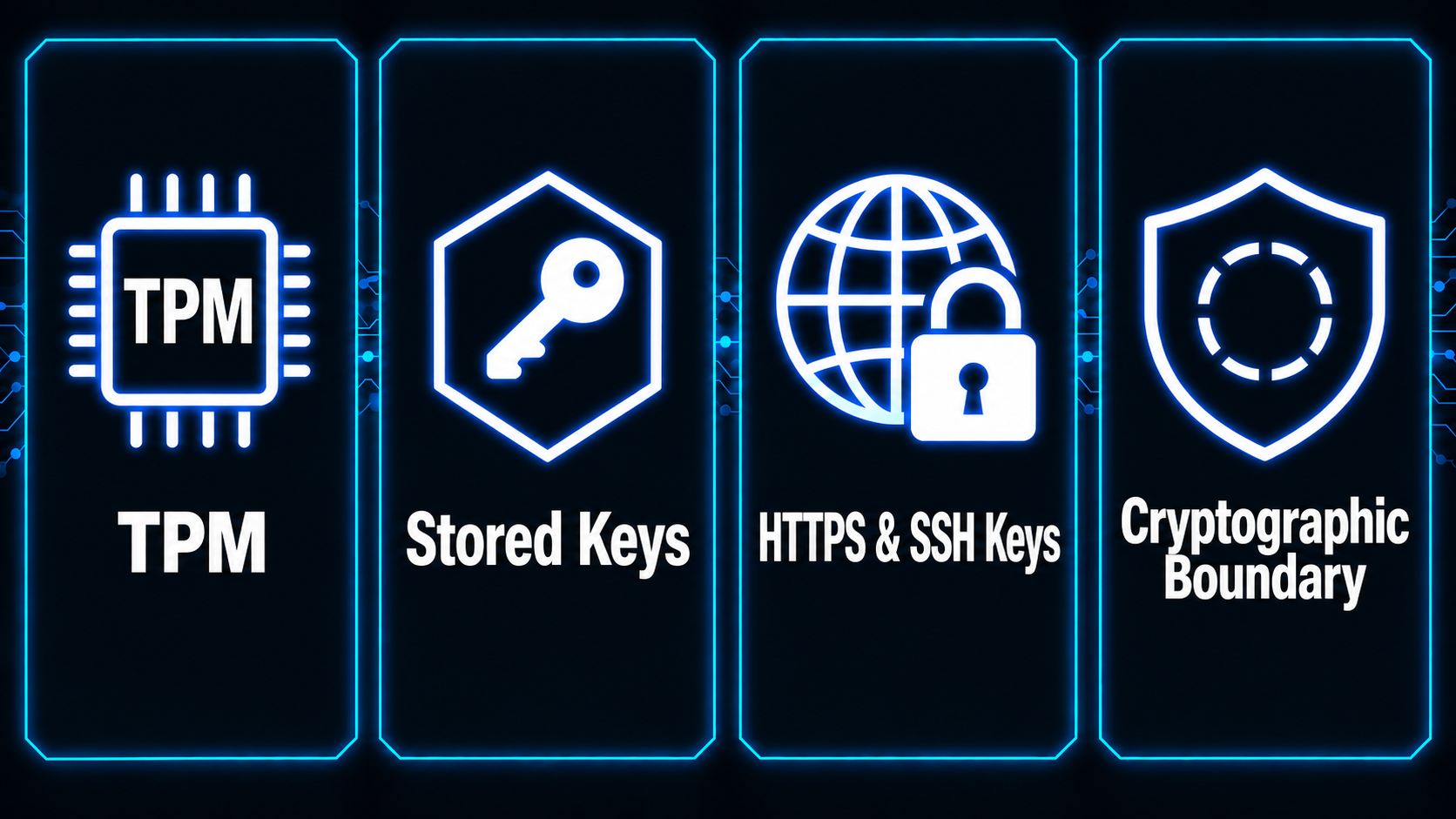
Hardware root of trust
Hardware protection for cryptographic keys.
The TPM provides a dedicated hardware boundary for TPM-managed keys and supported cryptographic operations, helping protect sensitive material from general-purpose software.
Remote operator workflow
Use your preferred terminal client or connect through your browser.
Access the protected serial console through an SSH terminal client or BlackEdge’s built-in browser terminal over HTTPS. Authentication, assigned roles, and command policies govern access through either workflow.
SUPPORTED TERMINAL CLIENTS
Keep the tools already used by technicians.
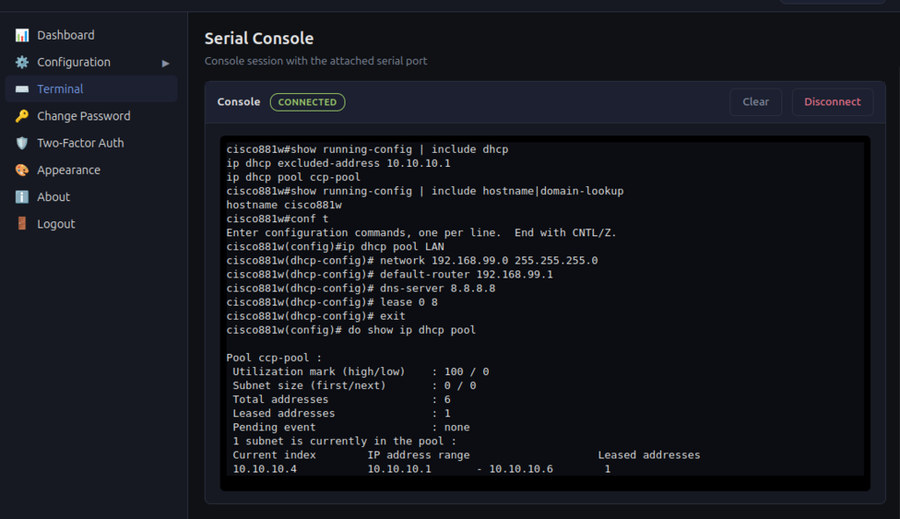
BROWSER DASHBOARD & TERMINAL
Manage BlackEdge and access the console from your browser.
Open BlackEdge’s HTTPS interface to review device status, manage authorized access, and launch the built-in terminal for the attached serial console.
Browser console access
Work with the attached equipment through the built-in terminal.
Device management
Review BlackEdge status and configure access settings.
Controlled access
Apply authentication, role permissions, and command policies to browser console sessions.
Deployment environments
Secure remote maintenance across distributed equipment.
Remote equipment sites
Reach the serial console when the asset’s normal LAN management interface is unavailable, provided the BlackEdge management path remains reachable.
Critical infrastructure cabinets
Protect console access to routers, switches, gateways, PLCs, and RTUs.
Operations centers
Give authorized operators a remote console workflow with centralized identity and event visibility.
Legacy serial assets
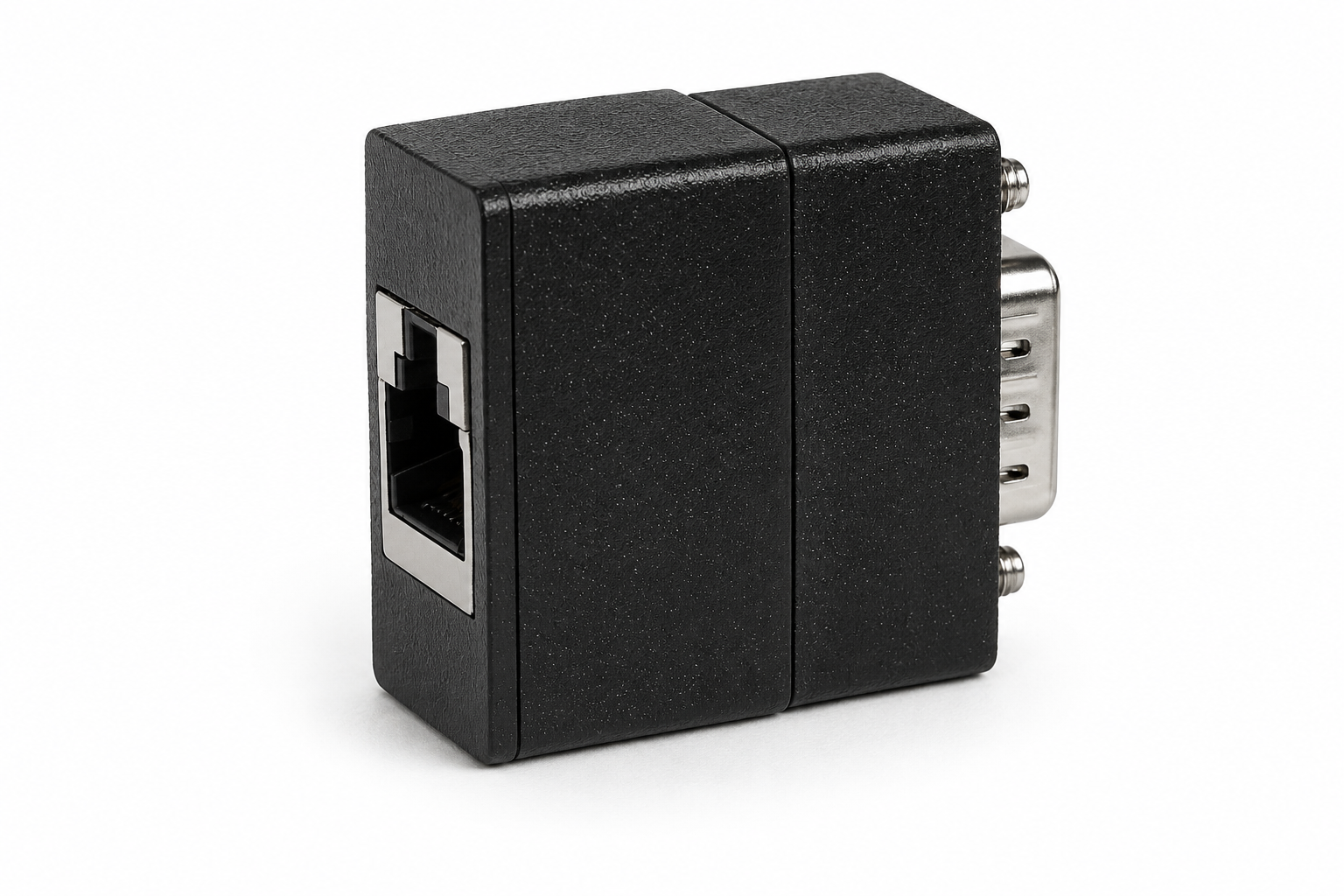
Use a DB9-to-RJ45 adapter for compatible legacy DB9 console equipment.
Legacy DB9 support
Extend the same protection to DB9 console ports.
The DB9-to-RJ45 adapter extends BlackEdge remote console access to compatible legacy DB9 serial ports.
Add authenticated console access to existing serial assets.
Operators reach BlackEdge over Ethernet while the adapter connects to the legacy console.
BlackEdge remains inline with the protected console connection through the DB9-to-RJ45 adapter.
Technical specifications
BlackEdge connectivity and access controls
Core capabilities for planning a remote console deployment.
| Protected console interface |
|
|---|---|
| Remote connectivity |
|
| Power |
|
| Authentication |
|
| Authorization |
|
| Management |
|
| Monitoring and logging |
|
| Cryptographic hardware |
|
| Cryptographic module validation |
|
| Dimensions |
|
Protect the privileged path
Ready to secure remote console access?
Talk with Engage about your console interfaces, management network, identity services, and monitoring requirements.
