

Secure local console access
Transform a serial console port into a secure management interface.
BlackJackIT is a physical and digital barrier that protects critical RS232 console ports against malicious access, unauthorized commands, and physical tampering.
Physical Port Security
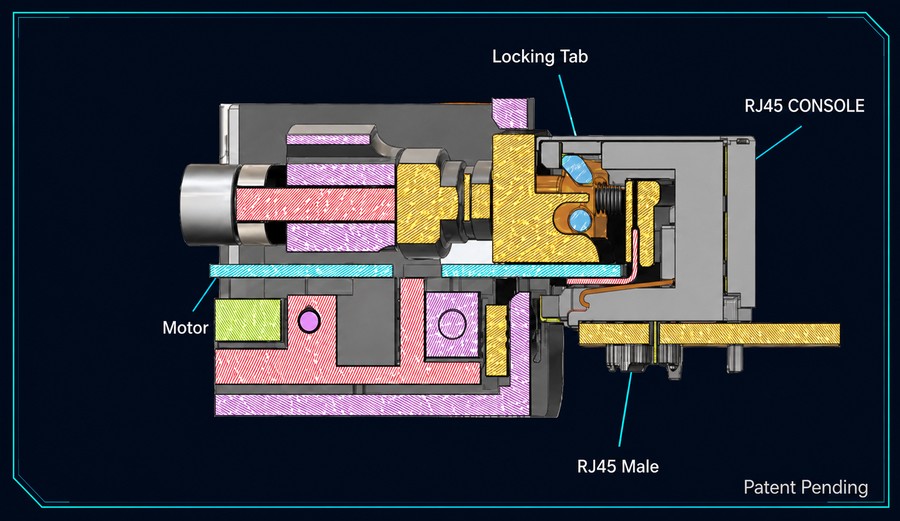
BlackJackIT’s proprietary, patent-pending RJ45 Ramp & Clamp locks to the serial-console RJ45 port to prevent unauthorized access.
Authentication, Authorization, and Accounting (AAA)
Verifies who is connecting, controls what they can access, and records activity for accountability.
Department of Defense
Protect serial-console access across defense communications and field-deployed infrastructure.
Common environments: Tactical routers · SATCOM · Command posts · Mobile systems · Radio Base Stations
Operational Technology
Secure serial-console paths across SCADA and other critical operational systems.
Common industries: Power and water utilities · Manufacturing · Transportation · Oil, gas and mining
The vulnerability
Fatal flaws of the standard console connection.
Legacy RS232/RJ45 console interfaces can provide a direct management path.
Physical exposure and hijacking
No mechanical access controls; an active remote session can be hijacked by an undetected local cable swap.
Legacy login sessions
Sessions are not automatically timed out.
Zero cryptographic protection
Data transmits in complete plaintext.
Weak authentication
Relies on basic, static, or shared local passwords.
Loss of attribution
Provides zero accountability for configuration changes.
The insecure console cable
A hidden cable tap can turn local access into a remote attack path.
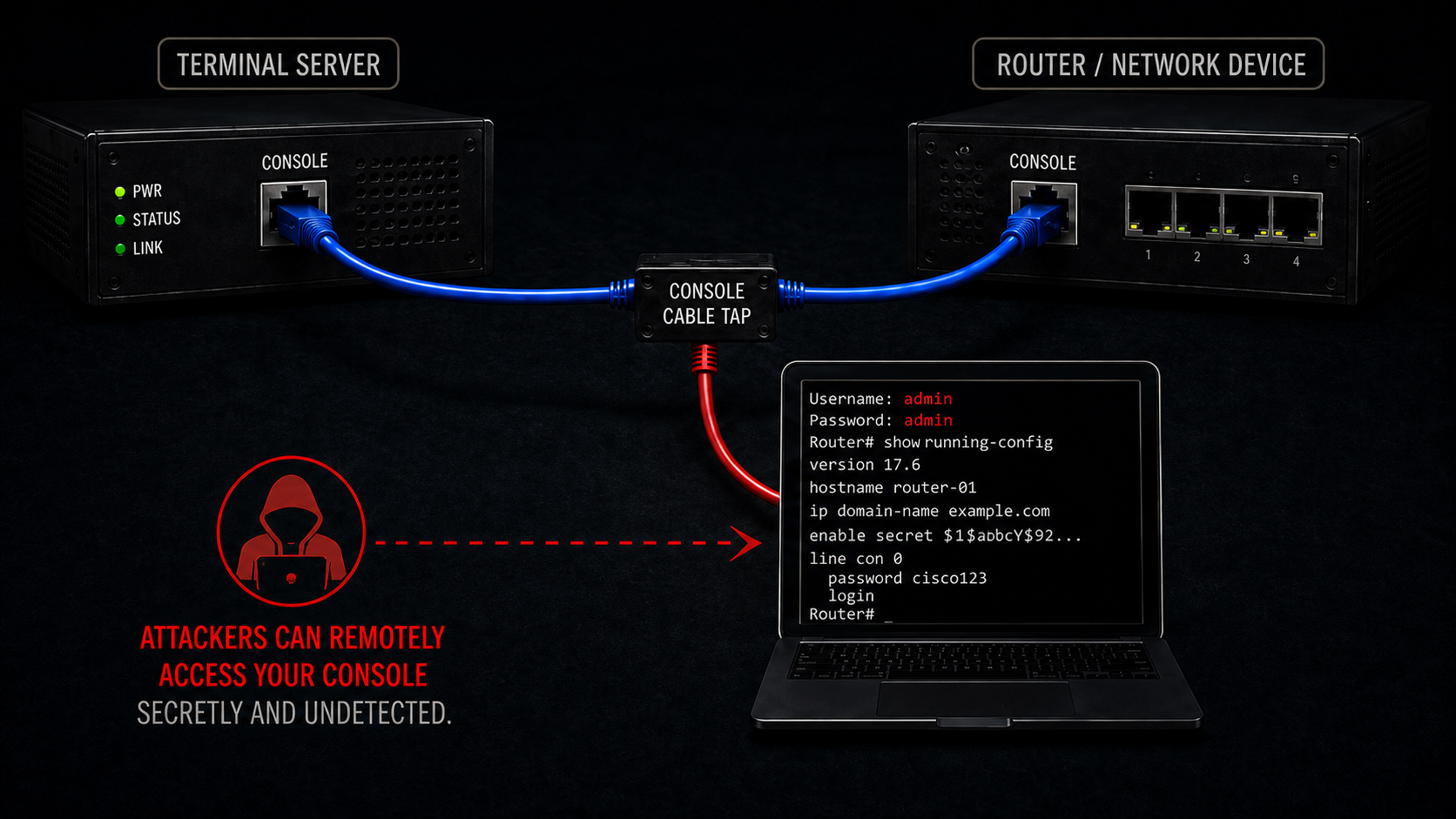
A secure perimeter does not authenticate the person using the console port. A concealed inline cable tap can expose privileged console access without being immediately visible to the technician.
From exposed port to controlled session
Security is enforced before console access begins.
BlackJackIT places physical security, identity verification, encrypted access, command policy, and local accountability directly in front of the console port.
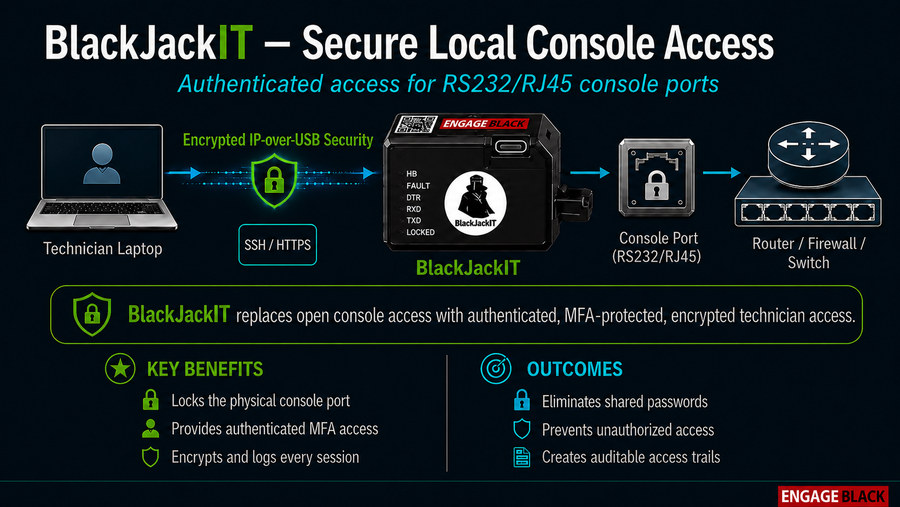
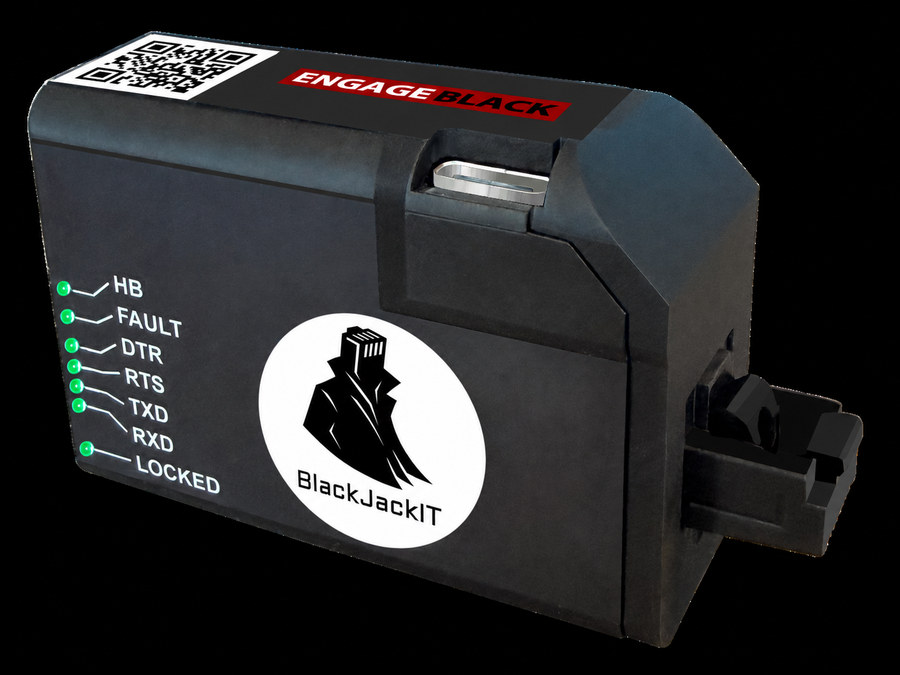
Purpose-built hardware
Designed to secure the console at the point of access.
Control layer 1 · Physical enforcement
Fused authenticated console access.
Active physical barrier
Strict access control
Intelligent tamper response
Secures RJ45 connectors with a tamper-reactive electronic lock that uses cryptographic multi-factor authentication to restrict access.
Control layer 2 · Identity and authorization
Verify identity. Apply roles. Establish accountability.
BlackJackIT applies Authentication, Authorization, and Accounting at the local console-access point.
Authentication
Verify the technician before console access is granted.
Authorization
Control the roles, permissions, and commands available during the session.
Accounting
Record local activity for review, attribution, and accountability.
Authentication
Once BlackJackIT is connected and powered through the technician’s USB-C connection, the technician must authenticate before a console session can begin.
Authentication stays local—even when the site is offline.BlackJackIT has no Ethernet interface. TOTP, client-certificate, and CAC-backed certificate checks occur locally over USB-C, with no Internet connection, cloud service, or external identity-provider lookup required when access begins.
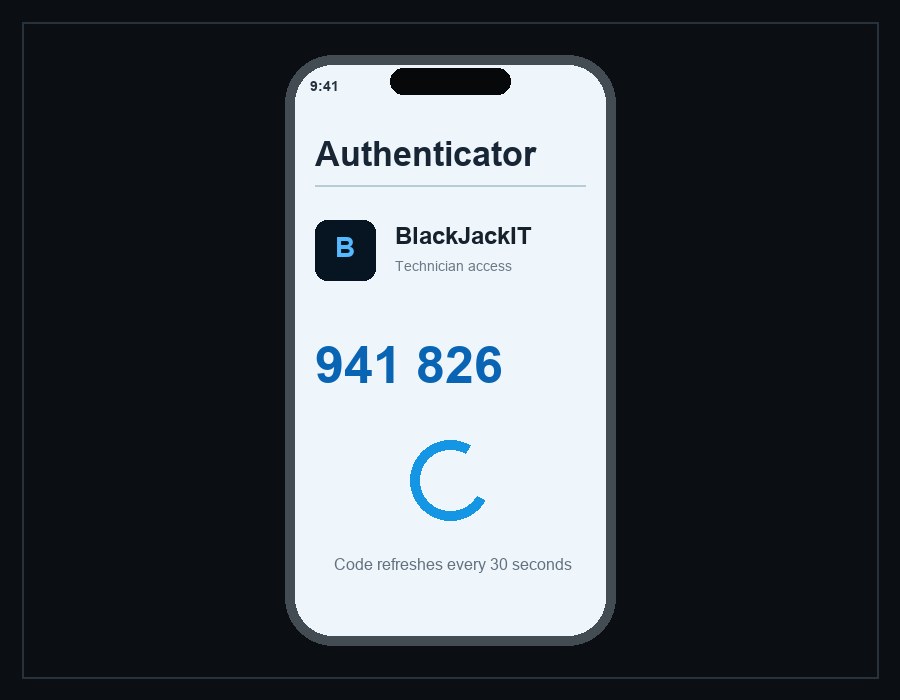
TOTP authentication
One-time code from an authenticator app
The technician enters a short-lived code generated by an enrolled authenticator app.BlackJackIT validates the code locally against its enrollment record, and the code refreshes at regular intervals so it cannot be reused indefinitely.
Works with standard TOTP authenticator apps, including:
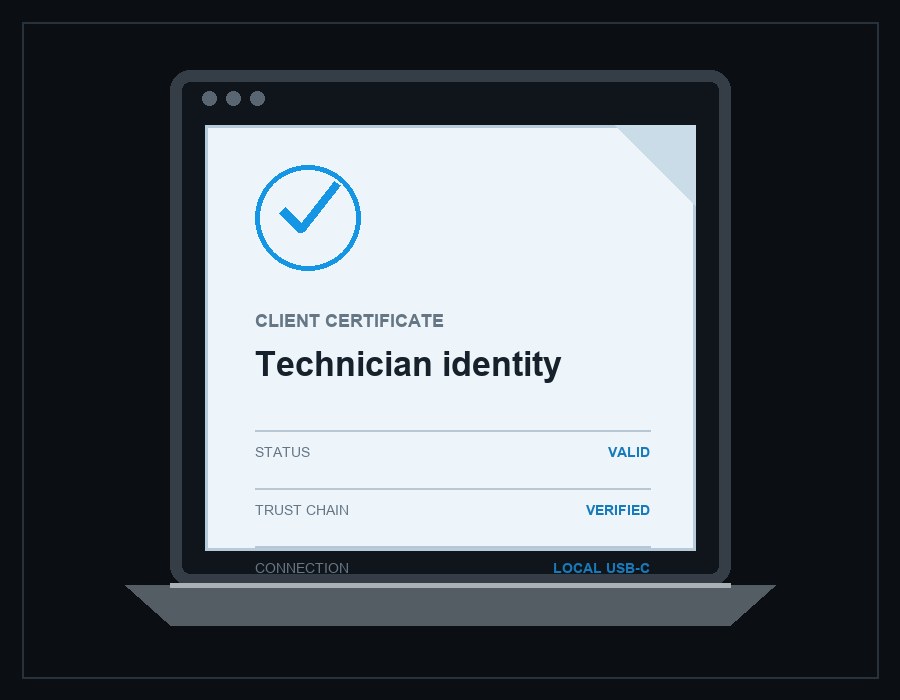
Certificate authentication
Trusted certificate from the technician laptop
During the secure USB-C connection, the technician laptop presents an enrolled client certificate.BlackJackIT verifies the certificate and its trust chain locally before making the protected console session available.
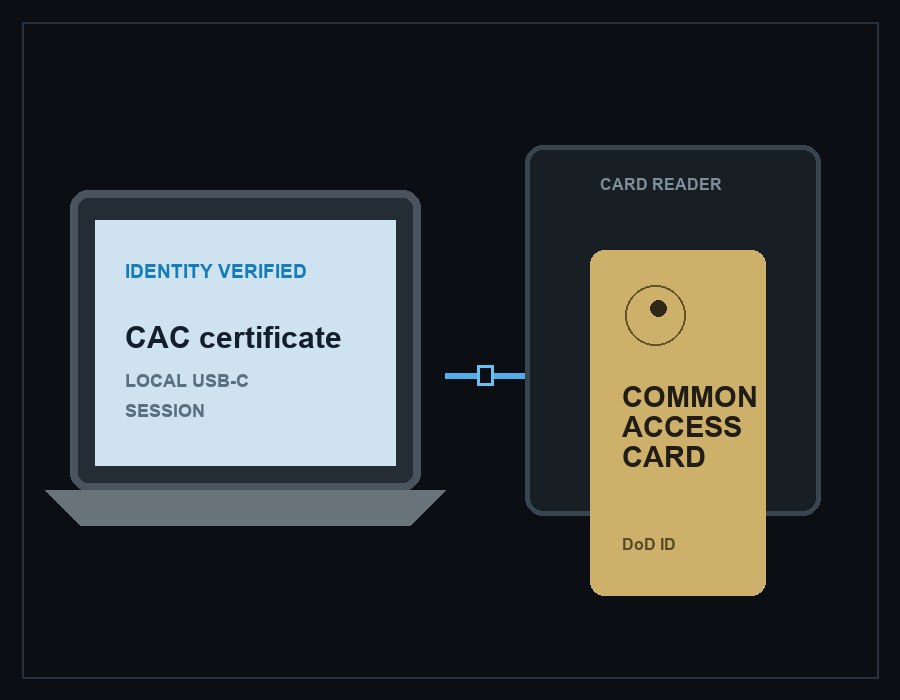
CAC / PIV authentication
DoD identity from a Common Access Card
The technician inserts a CAC into a reader connected to the laptop. Approved laptop middleware uses the card to prove possession of its private key and presents the CAC-backed certificate over the secure USB-C connection.BlackJackIT validates the provisioned certificate trust chain locally before allowing console access.
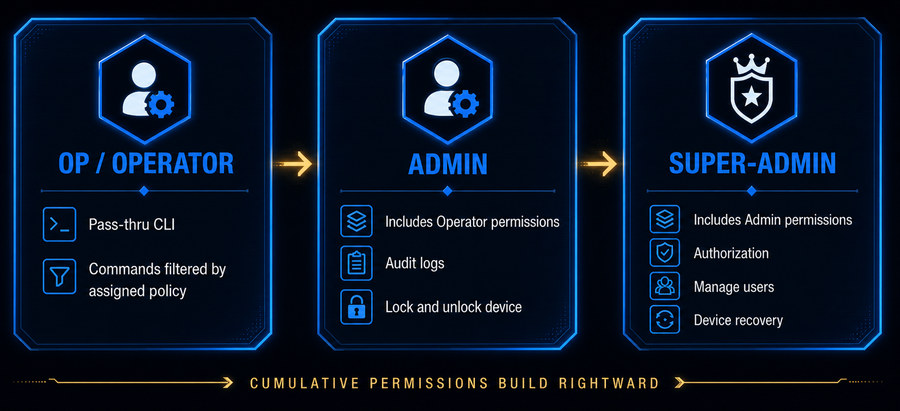
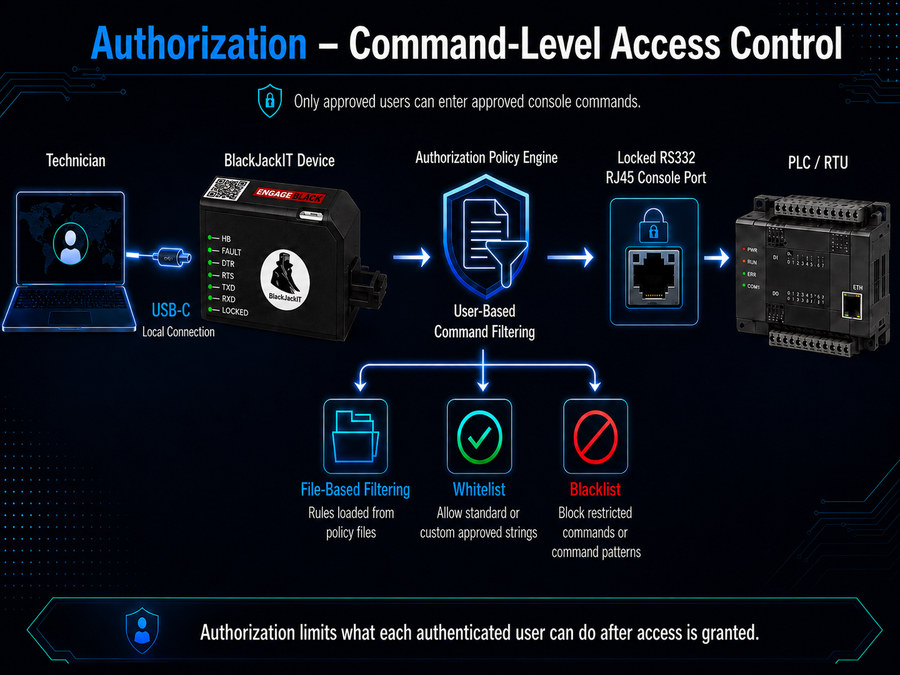
Authorization · Roles
Tiered roles define permitted control.
Each authenticated user is assigned a defined role that determines the available administrative and console permissions.
Policy-based operator control
Least privilege, enforced at the command level.
Administrators can tailor what each Operator may do, reducing exposure to malicious activity and preventing accidental technician errors.
Admins define the boundaries
Super-Admins and Admins configure and assign command policies for individual Operators.
Access matches the assignment
Each policy defines the user’s read/write permissions and the command strings they are allowed to enter.
Unauthorized commands are stopped
Commands outside the assigned policy are blocked before reaching the connected device.
Accounting · Local audit trail
Local records show who connected and what occurred.
Once BlackJackIT is connected and powered through USB-C, it records activity generated during that powered connection. Records can be reviewed through the local management interface for attribution and accountability.
Authentication and session history
Records authentication attempts, results, and console-access activity associated with the technician connection.
Command audit trail
Records commands entered during the authorized session and their policy outcomes so activity can be traced to the authenticated user.
Policy and device changes
Records user, policy, configuration, and authorized lock/unlock activity performed through the local management interface.
Control layer 3 · Local tamper response
Tamper events elevate control to Super-Admins.
BlackJackIT treats physical interference as an authorization event—not merely an equipment warning. A detected tamper condition suspends Operator and Admin access until a Super-Admin reviews and clears it.
Local tamper evidence: Physical protection remains in place without Ethernet or cloud services.BlackJackIT presents tamper status and event records locally when powered through USB-C.
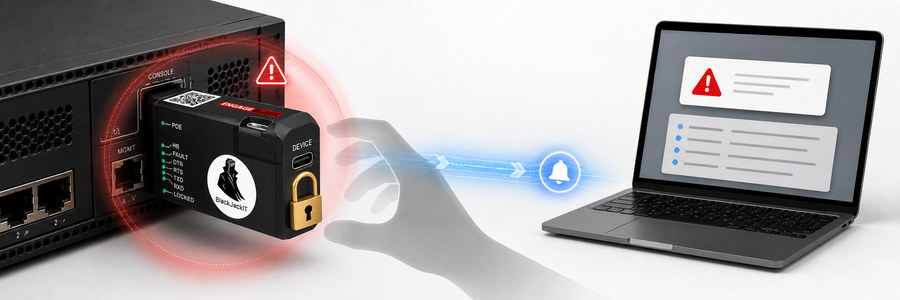
Detect
Physical interference is identified
BlackJackIT detects evidence of attempted removal or interference with the protected connection.
Restrict
Normal access is suspended
The protected console remains unavailable to Operators and Admins pending Super-Admin review.
Record
The event enters the audit trail
When powered, the tamper event is added to the local activity record.
Indicate
The technician receives a visual warning
When powered, the tamper-status light indicates that physical interference has been detected.
Cryptographic security
Hardware-rooted protection for keys and secure sessions.
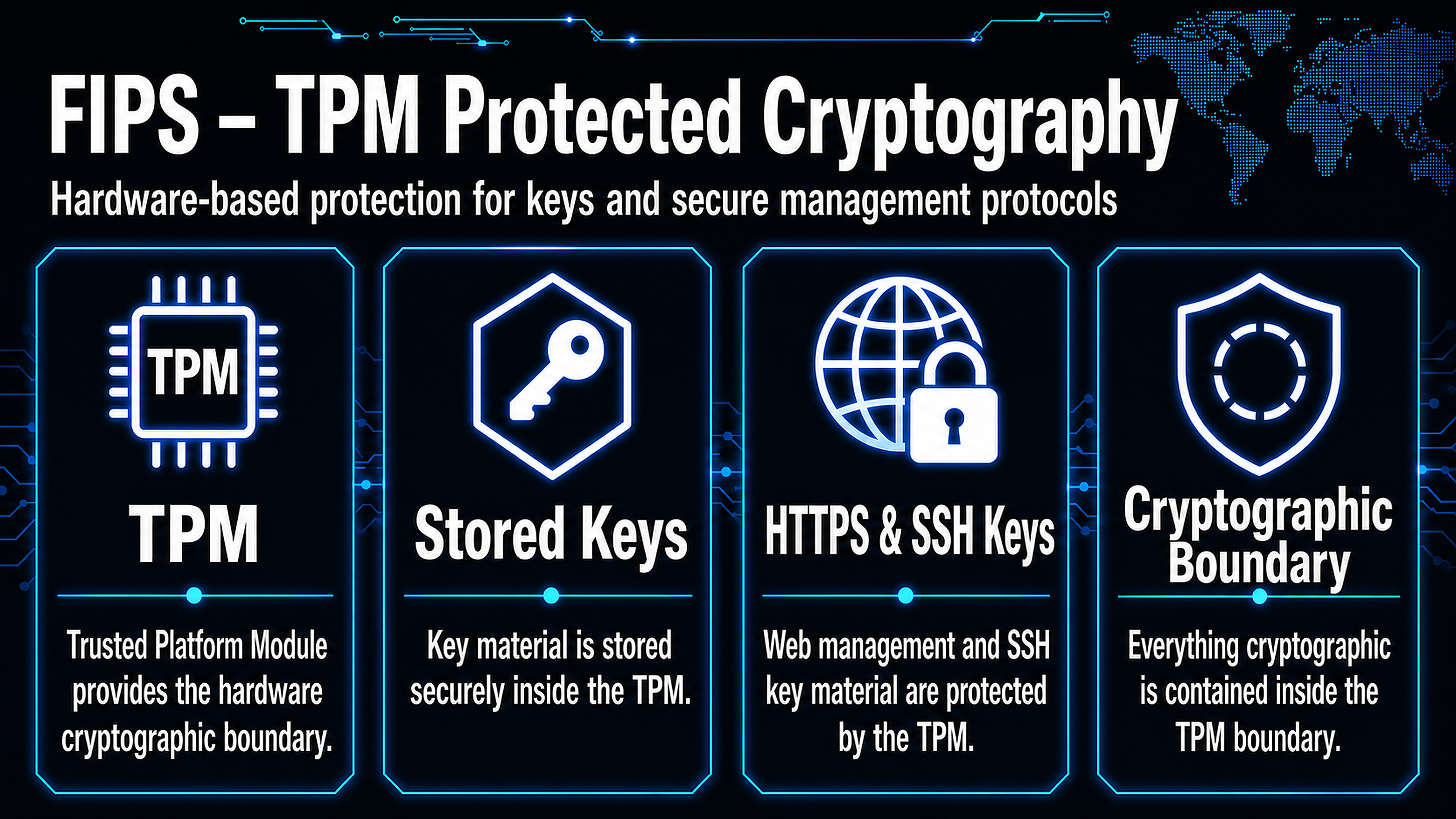
BlackJackIT incorporates a Trusted Platform Module (TPM) to support hardware-based key protection and cryptographic operations.
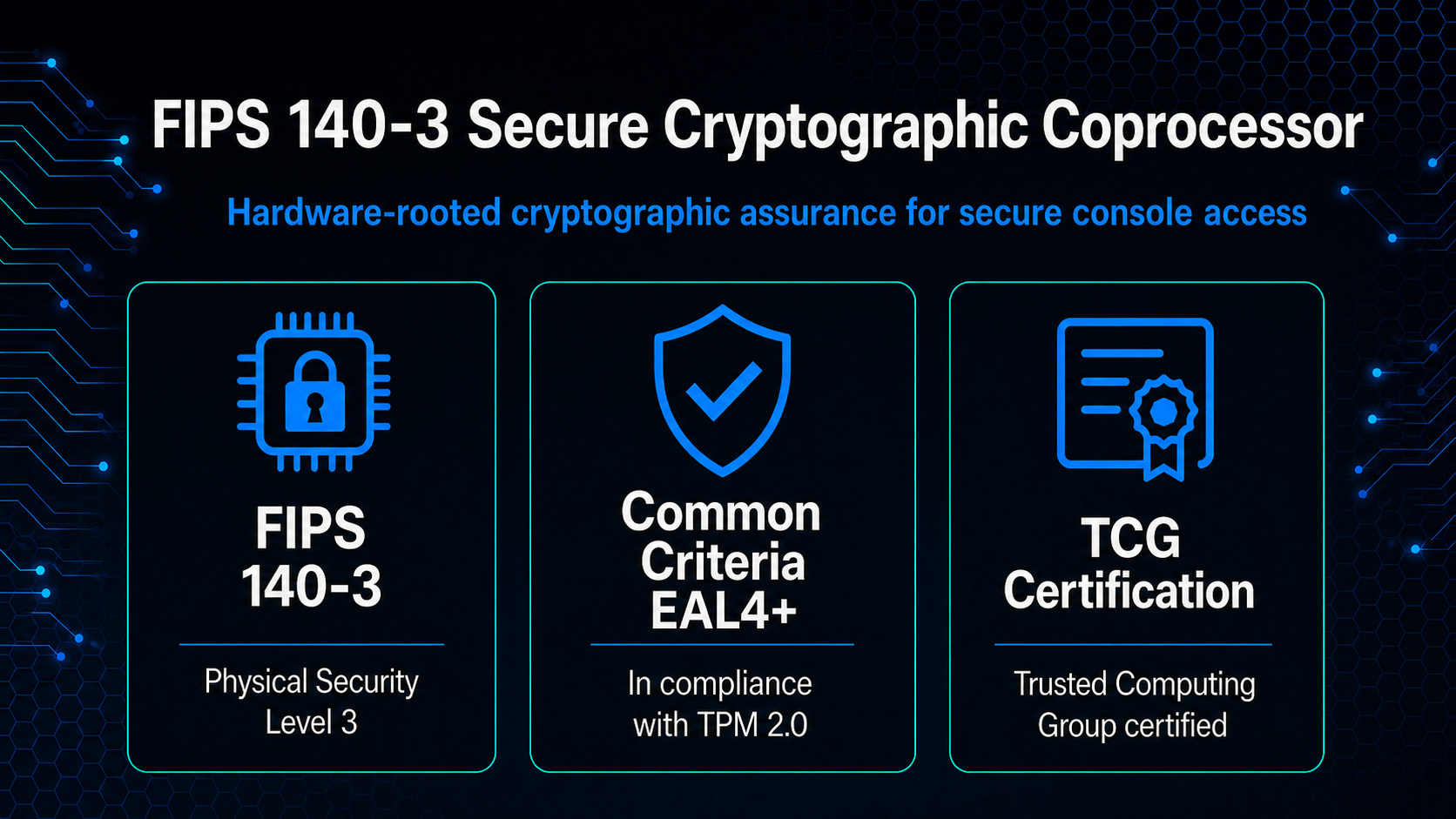
Cryptographic assurance
Built on a FIPS 140-3 validated module.
BlackJackIT incorporates a cryptographic module validated to FIPS 140-3 Overall Level 2 under CMVP Certificate #5109, with Physical Security Level 3.
The validation applies to the module when installed, configured, and operated in its approved mode as specified in its Security Policy. It does not represent validation of the complete BlackJackIT product.
Hardware root of trust
Hardware protection for cryptographic keys.
The TPM provides a dedicated hardware boundary for TPM-managed keys and supported cryptographic operations, helping protect sensitive material from general-purpose software.
Technician workflow
Use the built-in terminal or established console tools.
After authentication, the technician can work through BlackJackIT’s local browser-based terminal or continue with an approved terminal client. The connection remains local over secure USB-C.
SUPPORTED TERMINAL CLIENTS
Keep the tools already used by technicians.
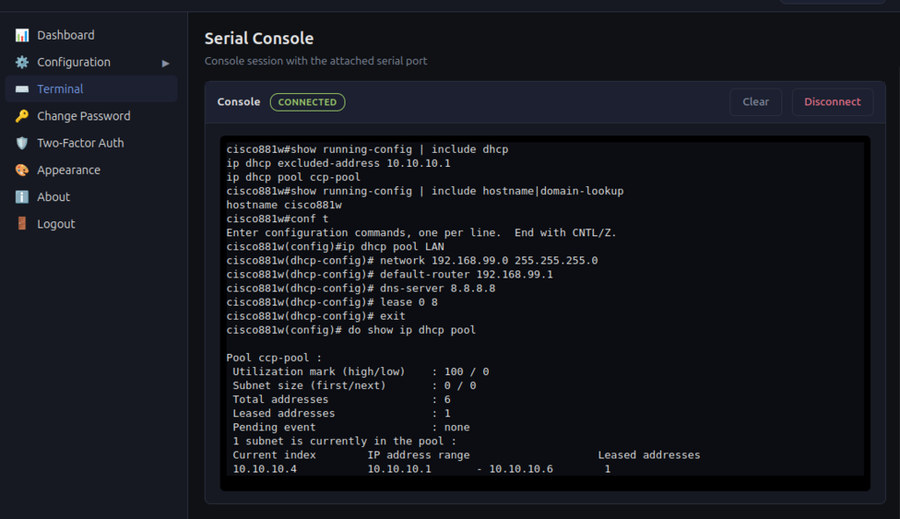
Built-in browser terminal
Open the protected serial console from the local HTTPS interface.
The browser interface is reached through the technician’s secure USB-C connection—not Ethernet, a cloud service, or a remote network path. Assigned roles and command policies continue to govern the console session.
Deployment environments
Protect local access wherever technicians meet critical equipment.
Air-gapped and disconnected sites
Maintain identity-verified console access in isolated facilities and restricted environments.
Critical infrastructure cabinets
Protect local access to routers, switches, gateways, and controllers at the physical connection point.
Field and mobile operations
Bring controlled technician access to temporary installations, mobile systems, and field-deployed equipment.
RS232 or DB9 assets
Extend the same access controls to installed RS232 or DB9 equipment through the purpose-built adapter.
DoD use cases
Representative applications across tactical networking, SATCOM, and command-post equipment.
OT & utility use cases
Representative applications for substations, SCADA, and field-network infrastructure.
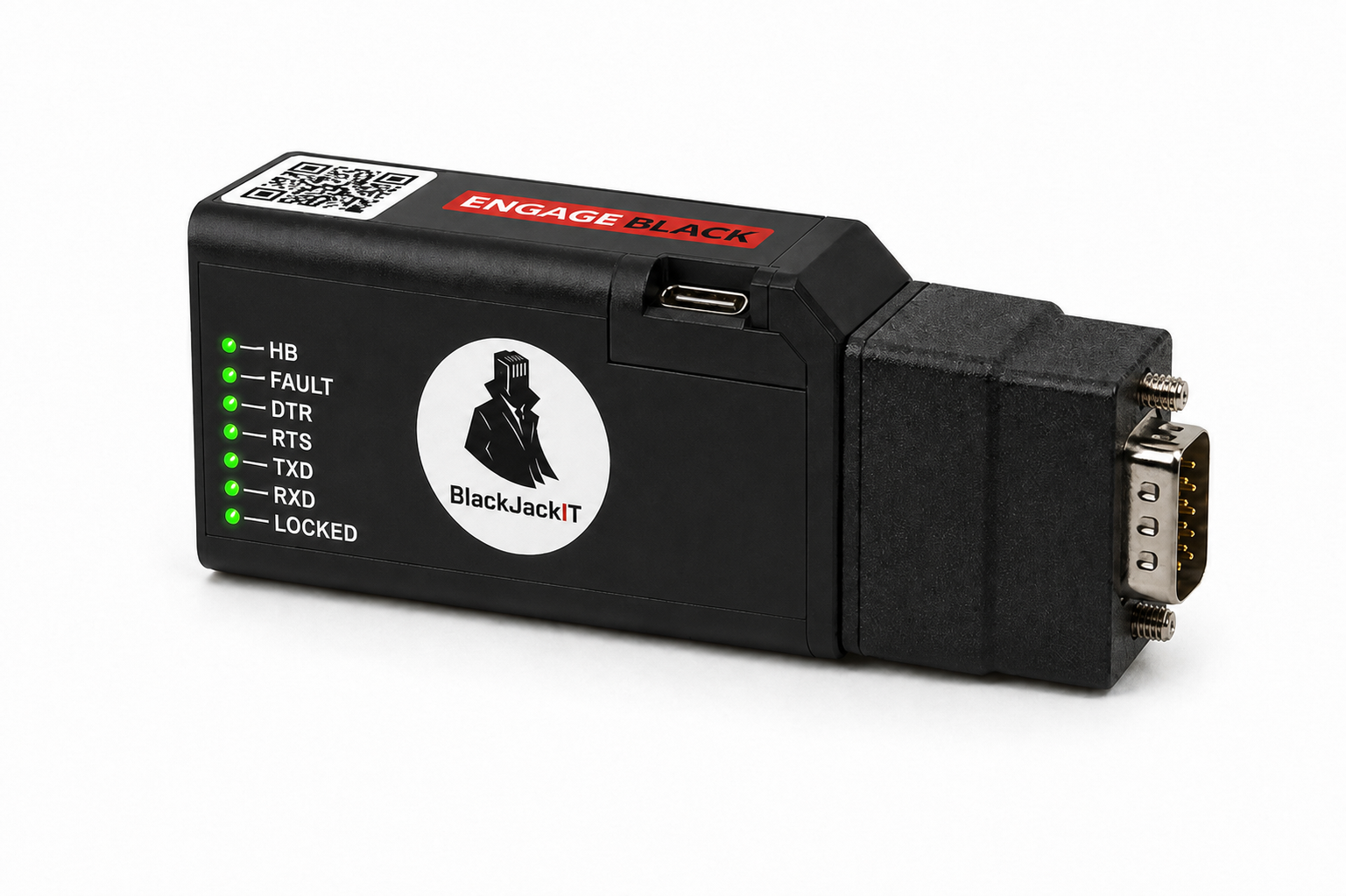
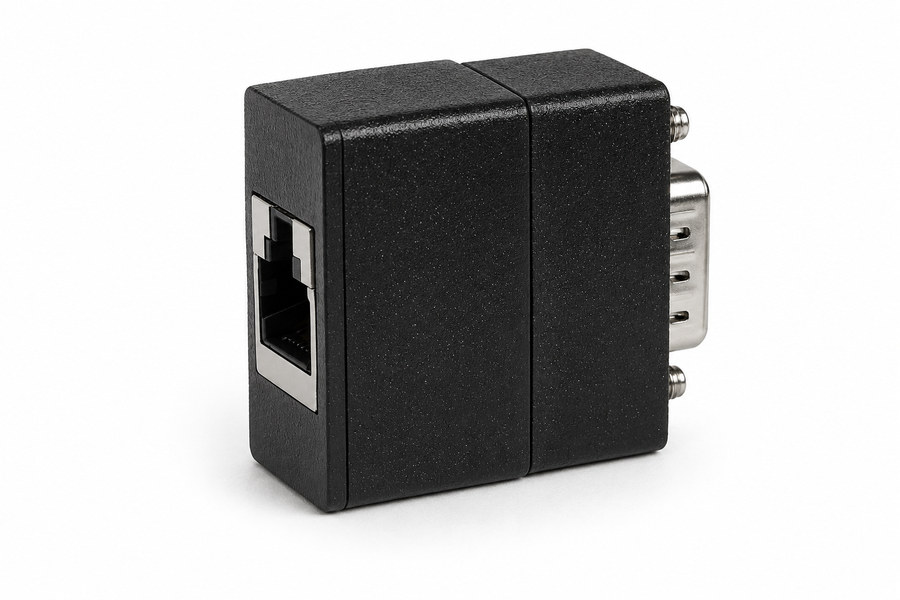
Legacy DB9 support
Extend the same protection to DB9 console ports.
The BlackJackIT DB9-to-RJ45 adapter brings authenticated local access and physical port control to equipment with legacy DB9 serial console connections.
Technical specifications
Small footprint. Deliberate control.
BlackJackIT is designed to secure the console port while fitting into real technician workflows, including disconnected and air-gapped environments.
| Protected console interface |
|
|---|---|
| Technician connection |
|
| Power |
|
| Authentication |
|
| Management |
|
| Monitoring and logging |
|
| Cryptographic hardware |
|
| Cryptographic module validation |
|
| Dimensions |
|
Protect the privileged path
Ready to secure local console access?
Talk with Engage about your console-port environment, authentication model, and deployment needs.
